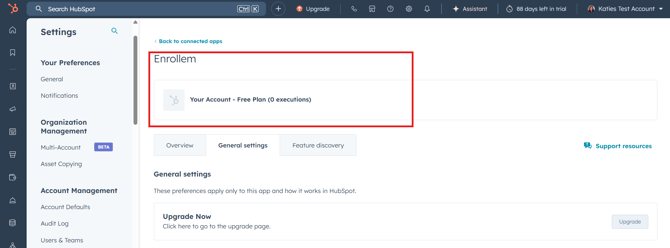
The limits for how many enrollments can happen per month using Enrollem depends on the Enrollem package you have purchased. Please note this is the number of enrollments not the number of emails sent.
-
Enrollem Free - 50 enrollments per account per month
-
Enrollem Professional - 250 enrollments per account per month
-
Enrollem Enterprise - 5000 enrollments per account per month
You can check how many enrollments have been completed by clicking Marketplace> Connected Apps> Select Enrollem App> General Settings . From here you can see the number of Executions (Enrollments) that have been carried out during the current billing month.
If you need more enrollments you can also upgrade your package from this page by Clicking the Upgrade button.