
To re-run with failed enrollments, you can go to your workflow select 'View' > 'Action Logs' and filter by 'Error Events' as seen below:
Then select 'export records to segment' as seen on the right hand side where you can use this segment to re-enroll contacts to the workflow by opening the select, selecting all and clicking 'Enroll in sequence' as seen below.
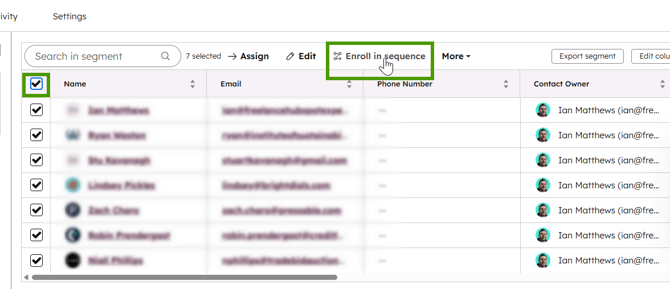
If you'd like to enroll these contacts in a sequence as a user other than yourself, you can simply use this newly created segment to enroll contacts into a workflow and use Enrollem again.